Beginner-first setup
Turn OpenClaw setup into a guided visual flow instead of a fragile sequence of terminal commands.
 ClawSetup OpenClaw local desktop client
 ClawSetup is a beginner-friendly desktop client for installing, configuring, and verifying OpenClaw through a fast visual flow built for first-time users.
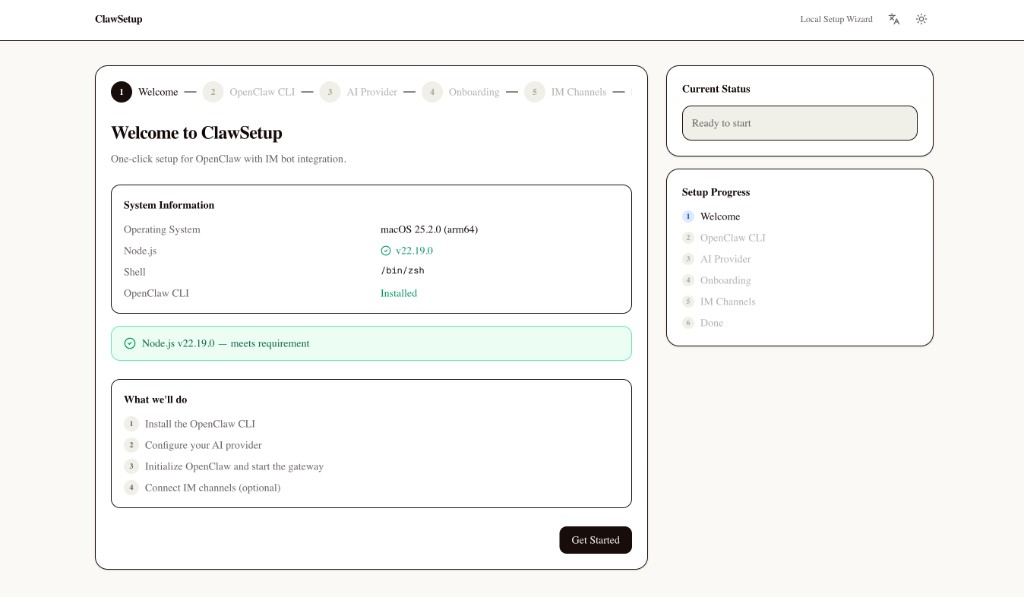
The product opportunity is not just a nicer UI. It is a simpler, more confidence-building path for people who want local AI tooling without translating docs into shell commands.
Turn OpenClaw setup into a guided visual flow instead of a fragile sequence of terminal commands.
Keep runtime, config, and control on your own machine with a workflow built for local usage.
See install status, runtime readiness, and next actions in one place instead of guessing.
Ideal for first-time OpenClaw users, demos, workshops, and non-technical teammates.
Check the local environment and OpenClaw CLI state.
Configure your provider in a visual setup flow.
Launch OpenClaw locally and verify runtime readiness.
Finish setup and continue from a lightweight dashboard.
The first website version reuses the actual product screens so visitors can understand the flow before they ever clone the repository.
A clear first step with environment context and an approachable setup entry point.
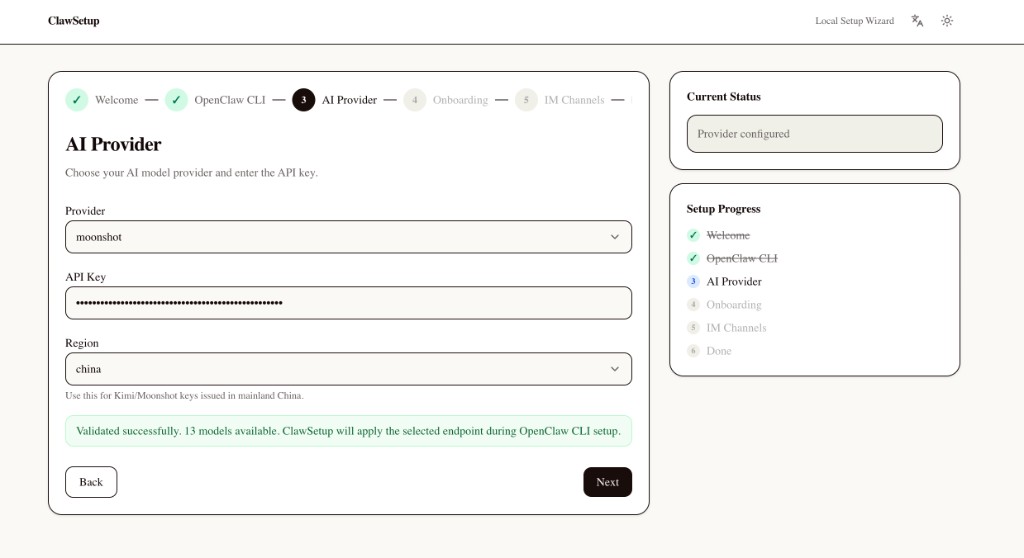
Paste credentials, validate configuration, and move forward without editing local files by hand.
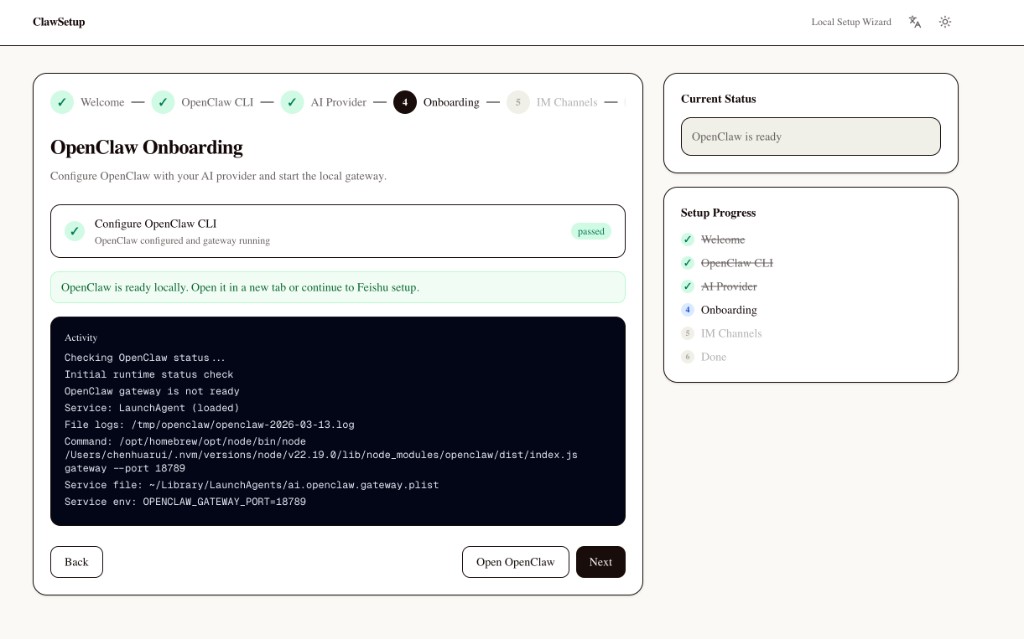
Know when OpenClaw is actually running and inspect the state without switching back to terminal logs.
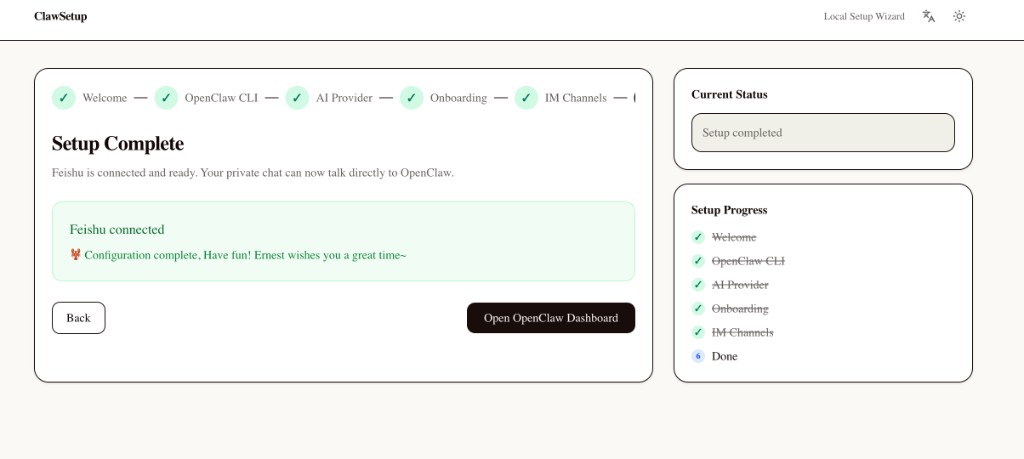
Finish with a direct path into the OpenClaw dashboard and a clearer sense of what is ready.
This is not just a wrapper around install commands. It is the foundation of a more approachable OpenClaw client: local control, clearer status, and a setup experience that helps users trust what is happening.
No. The product direction is local-first and privacy-first. The setup flow is designed around running OpenClaw on your own machine.
That is exactly the friction ClawSetup tries to remove. The goal is to make setup approachable through a guided interface.
It is built for OpenClaw beginners, workshop participants, and anyone who prefers a visual setup experience over manual local configuration.
Yes. The current version focuses on macOS. Cross-platform support may be explored later.